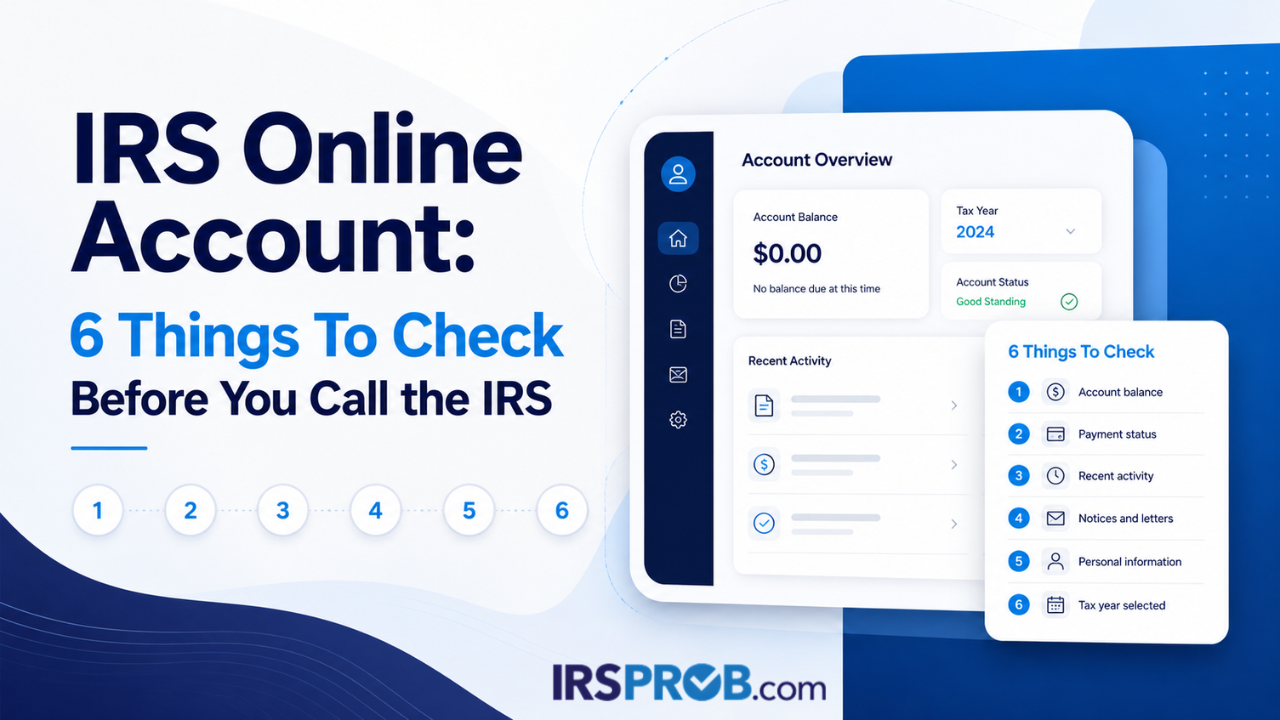
Before you call the IRS, take a few minutes to see what the IRS already shows on your account.
Your IRS Online Account may show useful details about your balance, payments, tax records, payment plan information, and certain notices or letters. It will not explain every tax issue, but it can help you avoid calling with only half the information.
Someone sees a balance, a missing payment, or a notice they do not understand. Then they call the IRS without the notice, without payment records, and without knowing what the account shows.
Start with what you can see first. Compare it with your own records. Then decide what question still needs an answer.
- What the IRS Online Account Can Show You
- Why Checking First Can Save Time
- Check 1: Look at the Balance Before You Call
- Check 2: Review Payment History
- Check 3: Check Tax Records or Transcripts
- Check 4: Review Notices and Letters Carefully
- Check 5: Review Payment Plan Details
- Check 6: Check Authorization or Access Issues
- What Not To Assume From the IRS Online Account
- When To Get IRS Help Before You Call
- How IRSProb.com Can Help
- What To Do Next
- Frequently Asked Questions
What the IRS Online Account Can Show You
The IRS Online Account is a tool for individual taxpayers to review certain federal tax account information.
Depending on your situation, it may show balances, payment history, tax records, payment plan details, and certain notices or letters. It may also let you make payments, view scheduled payments, manage some account preferences, and review certain authorization requests.
You can review the official IRS page for Online Account for individuals if you need to sign in or learn what account features may be available.
That can be useful before you call the IRS.
But it has limits.
Some notices still arrive by mail. Some account details need a closer review. Some issues involve more than one tax year, a business account, or records that are not fully explained online.
If you are creating an account for the first time, the IRS may require identity verification. Have photo identification ready so you do not get stuck halfway through the process.
Use the account as a starting point.
Do not use it as a reason to ignore a notice, miss a deadline, or make a payment before you understand what you are looking at.
Your online account may help you see balances, payments, tax records, certain notices, and payment plan details, but it does not replace reviewing the full facts.
Why Checking First Can Save Time
Calling the IRS can take time, and the call may not be very helpful if you do not have the right information in front of you.
The person on the phone may ask about the tax year, the notice number, the payment date, or the amount showing on your account. If you do not have those details, the call can turn into a guessing game.
That is where people get frustrated.
They know something feels off, but they cannot explain what they are seeing. They may say the balance is wrong, but they do not know which year it belongs to. They may say a payment is missing, but they do not have the confirmation number. They may mention a notice, but the notice is in another room or already thrown in a stack of mail.
A few minutes of review before the call can make a real difference.
Check 1: Look at the Balance Before You Call
Start with the balance.
If your IRS Online Account shows an amount due, check the tax year connected to that balance. Do not assume it belongs to the return you just filed.
That is a common place where people get turned around.
A balance may be connected to an older tax year, a corrected return, a payment that did not post as expected, penalties, interest, or another account issue. Sometimes the number on the screen is not the whole story. Sometimes it is connected to a notice you received by mail. Sometimes it is tied to a payment issue that needs records before anyone can explain it clearly.
Before you call, write down exactly what the account shows.
Check the tax year, the amount, any payment history tied to that year, and whether the balance matches the notice or records you already have.
If the balance does not look right, do not rush to pay just because the number is on the screen.
Compare first. Then decide the next step.
That does not mean you should ignore the balance. It means you should understand what it belongs to before you act.
Check 2: Review Payment History
If you are calling because a payment looks missing, check the payment history first.
Your IRS Online Account may show payment activity, such as pending, scheduled, processed, canceled, or returned payments, depending on the payment and account details.
That information can make the next conversation much easier.
If you believe you already paid, gather proof before calling. That may include a bank record, IRS Direct Pay confirmation, EFTPS record, canceled check, or payment confirmation from your tax software or online account.
Do not rely only on memory.
It helps to know the payment date, amount, tax year selected, confirmation number, and what your bank shows.
The point is not to argue with the IRS.
The point is to find out whether the payment was received, applied correctly, returned, or still processing.
This matters because a payment can be real and still not show where you expected it to show. It may have been applied to a different tax year. It may have been returned. It may still be pending. It may have been scheduled but not processed yet.
If you call without payment proof, the conversation may go in circles.
If you call with records, you have a better chance of narrowing the issue.
Payment questions are easier to review when you have the date, amount, tax year, confirmation number, and bank record in front of you.
Check 3: Check Tax Records or Transcripts
Your IRS Online Account may also give you access to tax records or transcripts.
These records can help you understand what the IRS has on file. You can also review the IRS page on getting tax records and transcripts for more information.
You may need to check whether a return was processed, review prior-year adjusted gross income, look at wage and income records, or compare IRS records with the return you filed.
That can help before you call about a notice, balance, missing payment, or filing question.
Just know this: transcripts are not always easy to read.
The codes and dates can show account activity, but they do not always explain the issue in plain English. A transcript may tell you what happened on the account, but not always what you should do next.
If you download tax records, keep them organized by tax year.
Then compare them with your tax return, IRS notices, payment records, and any letters you received.
This is especially important if more than one year is involved. One tax year may be clear, while another year may show a payment problem, a missing return issue, or a change the IRS made.
Do not mix the years together.
Tax problems get harder when the records are scattered.
Check 4: Review Notices and Letters Carefully
Your IRS Online Account may show certain notices and letters.
That can help if you lost a mailed copy or want to read the notice again.
But do not assume every IRS notice will appear online exactly the way you expect.
If you received a paper notice, read the paper notice carefully. Look for the notice number, tax year, amount, deadline, and what the IRS is asking you to do.
If a mailed notice gives a deadline, do not assume checking online extends or replaces that deadline.
IRS notices can involve different issues. Some are about a balance. Others may involve a changed return, missing information, identity verification, a refund change, or a correction the IRS made. You can review the IRS page on understanding your IRS notice or letter for general notice guidance.
Before you call, compare the mailed notice with what your online account shows.
If the notice looks suspicious, do not call a random number without checking first. Use IRS.gov, review your IRS Online Account when appropriate, or contact the IRS through a verified IRS number.
A confusing letter can make anyone want to rush.
Do not rush. Read it first.
You do not need to understand every IRS term right away. Start with the basics. What year is listed? What amount is listed? What deadline is shown? Is the notice asking for payment, records, verification, or a response?
Those basic questions can keep you from calling unprepared.
If a mailed notice gives a deadline, do not assume checking online extends or replaces that deadline.
Check 5: Review Payment Plan Details
If you already have a payment plan, check the details before calling.
Your IRS Online Account or IRS payment tools may show amount due, payment plan details, payment history, and scheduled payments. IRSProb.com also has a guide on common IRS payment plan mistakes to review before agreeing to a plan.
Look at the plan like you would look at any other monthly obligation.
Is the payment amount still realistic?
Are payments posting correctly?
Are any payments scheduled?
Does the account show a balance you did not expect?
Do you understand which tax years are included?
A payment plan can help, but it still needs to fit your situation. If the monthly amount feels too high, or your income has changed, do not wait until the plan fails before reviewing your options.
The same goes for setting up a new plan.
Do not agree to a payment just because it feels easier than asking questions.
A payment you cannot keep is not really a solution.
This is also where current tax obligations matter. If you are trying to pay an older balance but cannot stay current with new taxes, the plan may not hold the way you hoped.
That is not something to guess about.
Review the numbers before you commit.
Check 6: Check Authorization or Access Issues
If you are working with a tax professional, your IRS Online Account may allow you to review and approve certain authorization requests, such as power of attorney or tax information authorization requests.
These authorizations can affect who may communicate with the IRS or access certain tax information on your behalf.
Do not approve something you do not understand.
Before approving a request, make sure you know who is asking for access, what type of authorization is involved, and why it is needed.
This is also a good time to check whether you can access your own account.
If you cannot sign in, have identity verification problems, or cannot see what you need, write that down before you call or ask for help.
Access problems are not unusual. A taxpayer may have trouble logging in, verifying identity, finding the right screen, or understanding what the account is showing. That does not mean the issue should be ignored.
It means you may need to slow down and gather what you can.
If you are authorizing someone to help, make sure the authorization matches the work being done. You should understand the difference between someone reviewing information and someone representing you before the IRS.
What Not To Assume From the IRS Online Account
The IRS Online Account is helpful, but it is not the whole picture every time.
Do not assume it shows every notice.
Do not assume every balance is easy to understand.
Do not assume a missing payment was never made.
Do not assume a transcript explains the full issue.
Do not assume checking online replaces reading IRS mail.
Do not assume you should pay before comparing records.
And do not assume you have to figure it out alone if the account does not make sense.
If the issue involves a business, payroll taxes, or an entity account, your individual IRS Online Account may not show everything. Business records or Business Tax Account access may also be needed.
The account gives you a starting point.
The bigger question is what that information means for your next step.
This is where calm review matters. A screen can show a number, but it may not explain the reason behind it. A notice can show a deadline, but it may not explain your full options. A payment history can show activity, but it may still need to be matched against your bank records.
The account is useful.
It is not a substitute for understanding the facts.
When To Get IRS Help Before You Call
Sometimes it makes sense to get IRS help before calling.
That may be true if the balance does not match your records, a payment appears missing, a notice is confusing, or your payment plan no longer fits your budget.
It may also be true if more than one tax year is involved, you have unfiled returns, you are self-employed, own a business, or payroll tax issues are part of the problem.
In those situations, your individual IRS Online Account may not show the full business or payroll picture. Additional records or business account access may be needed.
Professional help does not mean someone can promise a result.
It means someone can review the account information, compare it with the records, and help you understand what question needs to be answered first.
There is a big difference between calling the IRS with a folder of facts and calling because you feel stuck.
If the issue is simple, checking the account may be enough to help you ask the right question.
If the issue involves several years, missing returns, business taxes, payroll taxes, or a balance you do not understand, it may be worth getting help before you make a payment decision or agree to a plan.
Do not guess your way through it.
How IRSProb.com Can Help
IRSProb.com helps taxpayers review IRS notices, tax balances, payment problems, and possible tax resolution options.
If your IRS Online Account shows a balance, missing payment, notice, payment plan issue, or account detail you do not understand, IRSProb.com can help you slow down and review the facts.
That may include comparing account information with your records, reviewing IRS notices, checking payment history, looking at payment plan issues, or discussing possible next steps.
If penalties or interest are part of the balance, IRSProb.com’s guide on IRS penalties and interest may help explain why timing and records matter.
If your situation involves more than a simple account question, IRSProb.com’s IRS tax resolution resources may help you understand what should be reviewed before choosing a path.
The goal is not to make a promise the facts do not support.
The goal is to help you understand what the IRS account appears to show and what step may make sense next.
For some taxpayers, the next step may be simple. For others, it may involve reviewing old filings, account transcripts, payment history, notices, or resolution options.
Either way, the first move is the same.
Get clear on the facts before you act.
What To Do Next
Before you call the IRS, sign in to your IRS Online Account if you can access it.
Check the balance. Review payment history. Look at tax records. Read notices and letters carefully. Review payment plan details. Check any authorization requests or access issues.
Then compare what you see online with your own records.
If something does not make sense, do not rush into a payment or promise.
Get clear on the facts first.
Make a short list before you call. Write down the tax year, amount, notice number, payment dates, and the question you need answered. Keep your records in front of you.
That one habit can make the call more useful.
If the account shows something you do not understand, or if the problem involves more than a simple question, IRSProb.com can help you review the situation.
Need help understanding what your IRS Online Account shows?
IRSProb.com can help you review balances, payments, notices, payment plan issues, and possible tax resolution options before you call or make a payment decision.
Visit IRSProb.com or call 214-214-3000.
Request a Free Tax ConsultationFrequently Asked Questions
What can I see in my IRS Online Account?
Your IRS Online Account may show balance information, payment history, tax records, payment plan details, and certain notices or letters. Available information can depend on your account and the issue involved.
Should I check my IRS Online Account before calling the IRS?
Yes. It can be a useful first step. Checking the account before calling may help you understand what the IRS shows and prepare better questions.
Can my IRS Online Account show payment history?
Yes. Your account may show payment activity, such as pending, scheduled, processed, canceled, or returned payments, depending on the payment and account details.
Does the IRS Online Account show all IRS notices?
Not always. Certain notices or letters may be available online, but taxpayers should still read mailed IRS notices carefully and pay attention to deadlines.
What should I do if my IRS Online Account shows a balance I do not understand?
Compare the balance with your tax return, notices, payment records, and IRS account details. If it still does not make sense, consider getting help before calling, paying, or setting up a plan.
Can IRSProb.com access my IRS Online Account for me?
IRSProb.com cannot access your account without proper authorization. If professional help is needed, the right authorization process should be reviewed so you understand who can access information and why.